Request for Quote (RFQs)
Background
Request for Quote (RFQ) is a formal process used to solicit pricing from vendors for potential changes to their scope of work. RFQs are typically generated from Change Management Items (CMIs) and are used to gather pricing information from subcontractors and suppliers for potential changes to their contracts. The RFQ process helps track and manage the cost impacts of changes before they are formalized into change orders.
Steps
Creating an RFQ
To create an RFQ, navigate to the Change Management tab within your project and select the CMI you want to create an RFQ for.
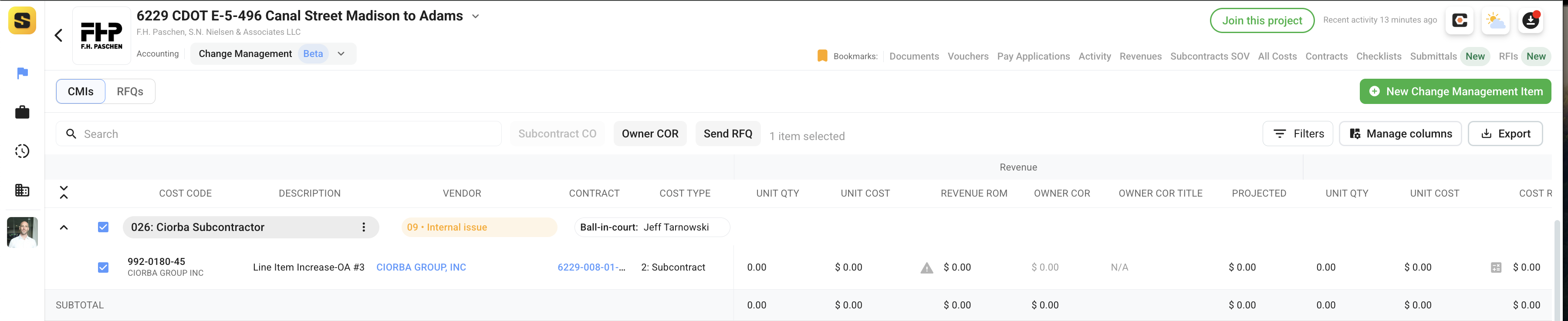
Click on the "Create RFQ" button to initiate the RFQ process.
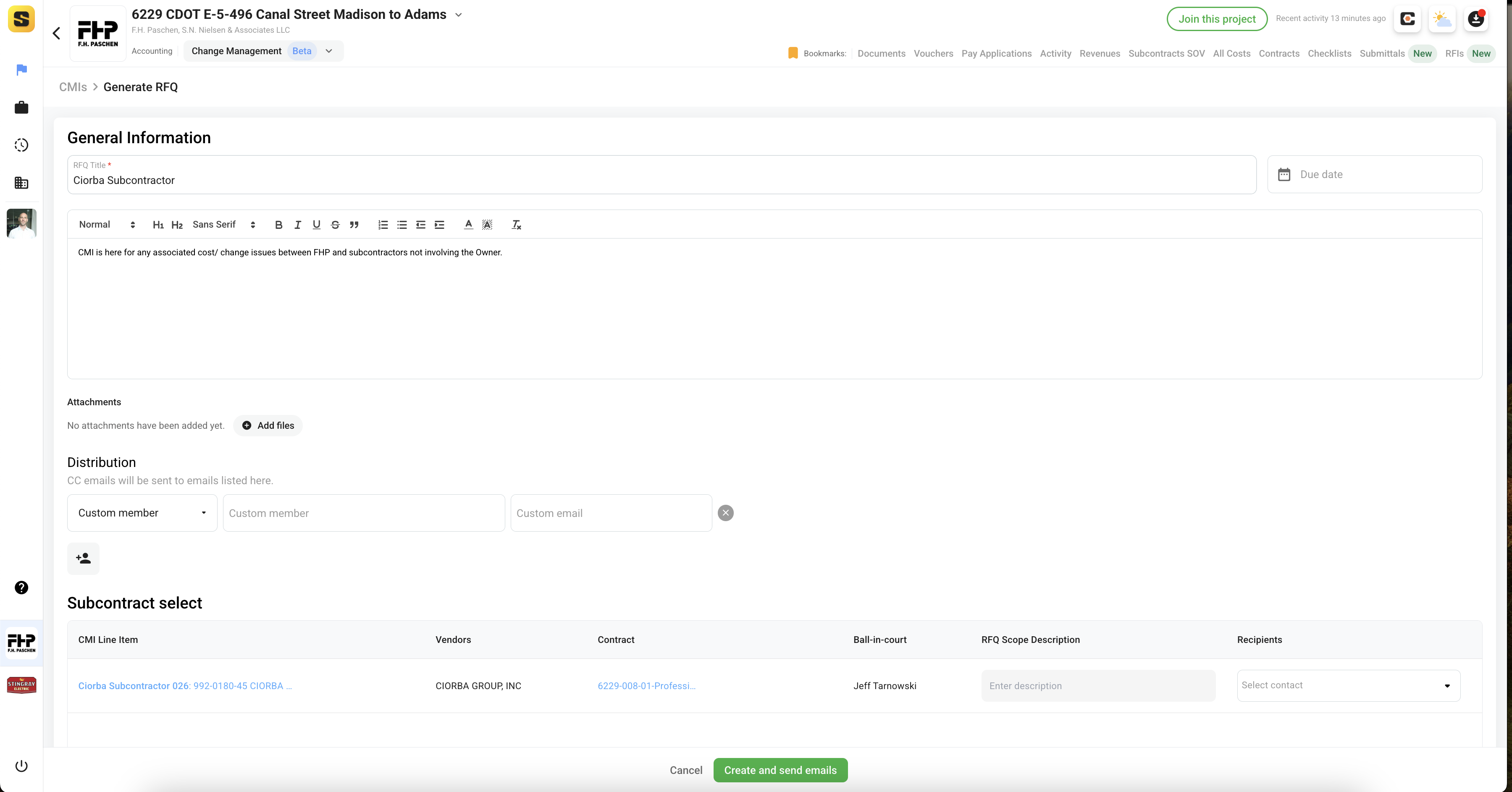
Required Fields
- Title - A clear and descriptive name for the RFQ
- Vendor - The subcontractor or supplier who will be providing the quote
- Ball-In-Court - The project team member responsible for tracking the RFQ
Optional Fields
- Description - Detailed description of the work being quoted
- Due Date - Date quote is due from the subcontractor/supplier
- Attachments - Any relevant documents, drawings, or specifications
- Distribution - Any emails of project members that should receive a copy of the requested quotation
- Line Items - Detailed breakdown of the work being quoted
- Scope Description - A short couple word description of the scope of work being reqested
- Recipients - Subcontractor/Supplier contacts who will receive the Request for Quotation
Managing RFQs
Once created, RFQs can be managed through the RFQ log view.
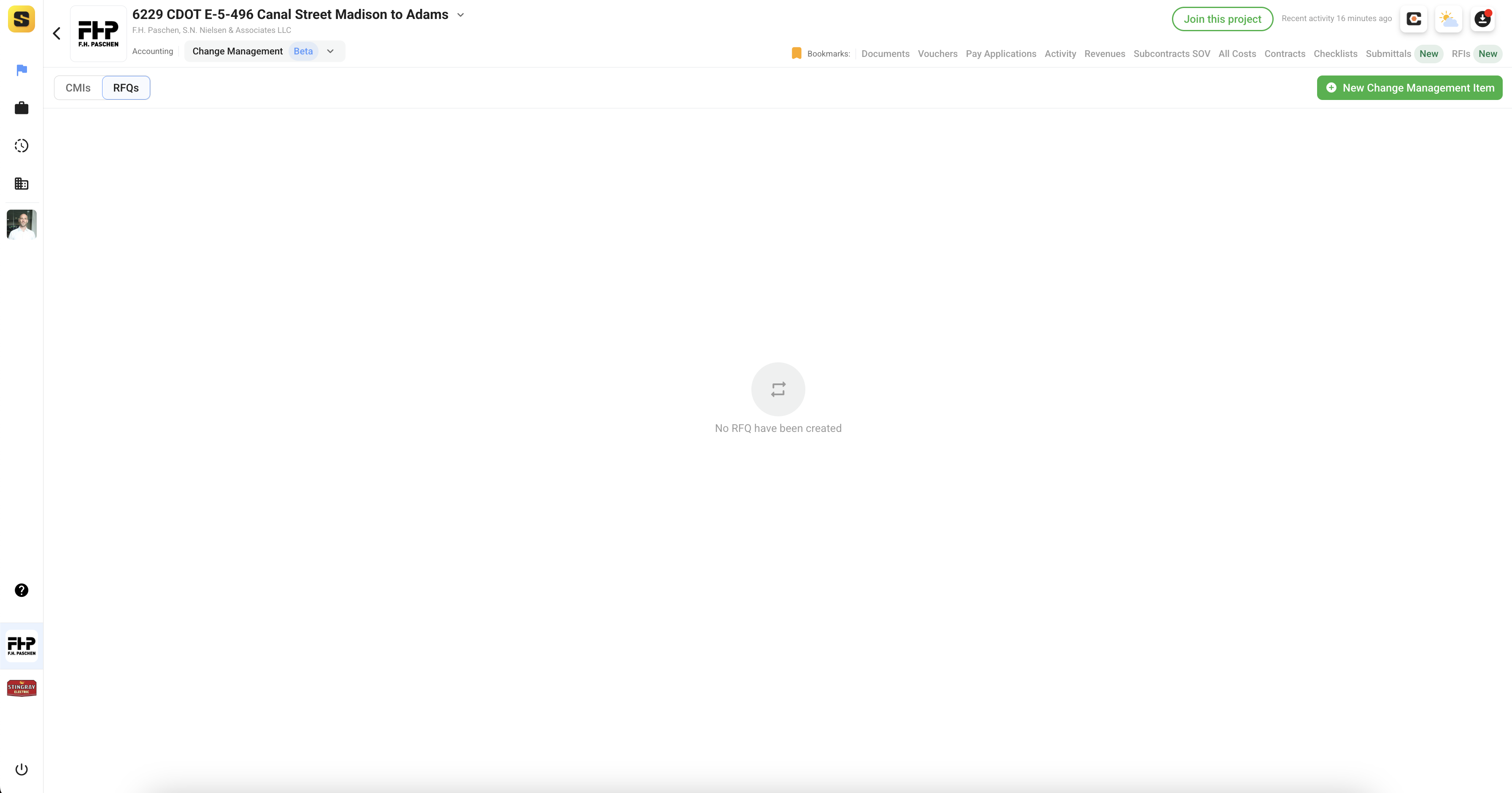
Users can:
- Filter and search RFQs
- Manage columns to customize their view
- Track RFQ status and progress
- View related CMIs and documents
- Export RFQ data
RFQ Workflow
- Draft - Initial creation of the RFQ
- Sent - RFQ has been sent to the vendor
- Received - Vendor has submitted their quote
- Under Review - Project team is reviewing the quote
- Approved - Quote has been approved for change order
- Rejected - Quote has been rejected
- Closed - RFQ process is complete
Things to Consider
- Always ensure RFQs are clear and detailed to get accurate pricing
- Include all relevant drawings, specifications, and documents
- Set realistic due dates for quotes
- Track all communications with vendors regarding the RFQ
- Use the comments section to document important discussions
- Link related documents and CMIs for easy reference
- Consider using templates for common types of RFQs
Issues or Questions?
Contact Support at Support@SiteSpecs.io